1. Log into your cPanel account.
2. In the "Advanced" section, click on "Cron Jobs" Icon.

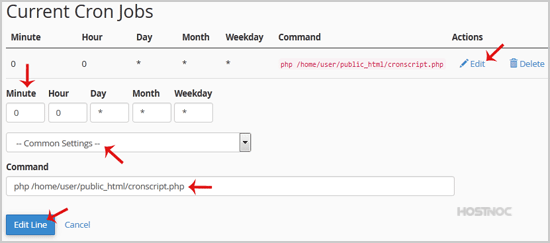
3. Scroll down to the end of page and under "Current Cron Jobs", locate your cronjob and then click on the "Edit" button.
4. Make appropriate changes and then click on the "Edit Line" button.
How to Delete Cronjob?
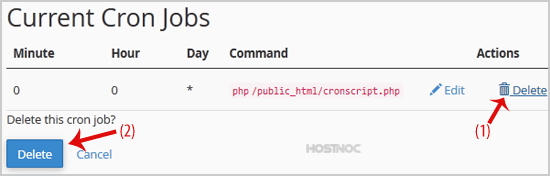
1. Under "Current Cron Jobs", locate your cronjob and then click on "Delete" button
2. Under "Delete this cron job?" text, click the "Delete" Button.