



2. In the "Databases" section, click on "MySQL Databases" Icon.

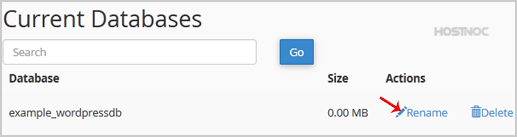
3. Under "Current Databases", You can see list of your all databases. Locate the Database and then click on "Rename" Icon.
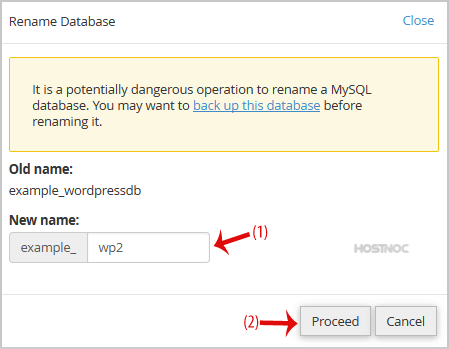
4. Change database name and then click on "Proceed" button.
60% Off Summer Sale. Host your website with HOSTNOC.
Get Offer
Powered by WHMCompleteSolution