
Dev License: This installation of WHMCS is running under a Development License and is not authorized to be used for production use. Please report any cases of abuse to abuse@whmcs.com

How to Access Softaculous in SiteWorx? Print

  • 33


1
. Log into your SiteWorx account. (e.g. www.example.com:2443/siteworx/ )

2. Under "SiteWorx Menu", click the "Hosting Features" menu item if it is not already open.

3. Click on the "Softaculous" option.
siteworx-softaculous-icon.gif

4. SiteWorx will open a Softaculous Interface.
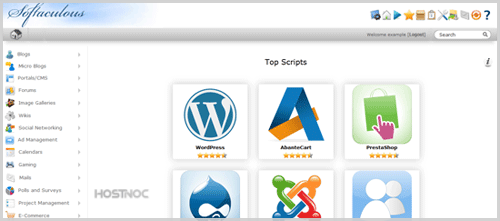
siteworx-softaculous-interface.gif

If you want to go back to SiteWorx, click on the "Go to Control Panel" icon. 
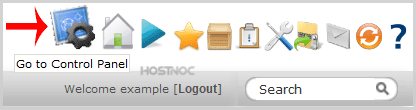
softculous-goback.gif


Was this answer helpful?

« Back

Powered by WHMCompleteSolution