1. Log into your SiteWorx account. (e.g. www.example.com:2443/siteworx/ )
2. Under "SiteWorx Menu", click the "Backups" menu item if it is not already open.
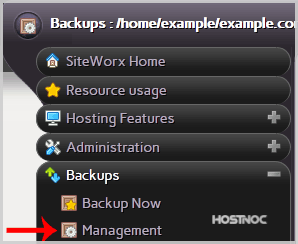
3. Click the "Management" menu item.
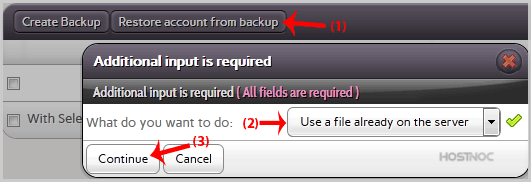
4. Click on the "Restore account from backup" button and select the "Use a file already on the server" option from the dropdown menu.
5. Click on the "Continue" button.
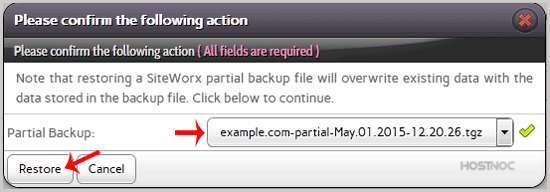
6. In the confirmation window, select partial backup from the drop-down menu and then click on the "Restore" button.