Dev License: This installation of WHMCS is running under a Development License and is not authorized to be used for production use. Please report any cases of abuse to abuse@whmcs.com

How to automatically sync the cPanel email in an Android mobile or stop the syncing Print

  • 0

We hope that you have already read our tutorial on How to add a cPanel email account in your Android Mobile and you have already added a built-in email widget to your Android screen.
You can set an automatic email synchronization frequency so whenever you receive an email in your cPanel account, it will be automatically synced with your Android email app and you will receive a notification for new email.


1. Open the Email inbox icon.
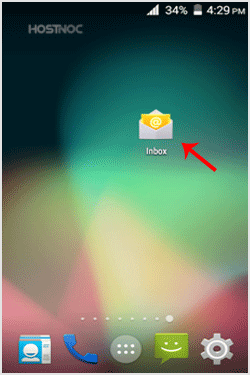
 android-email-icon-cpanel.gif


2. In the Mail option, tap on the Menu and then on the Settings button.
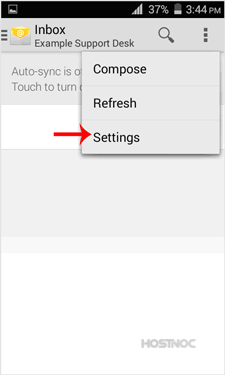
android-email-setting-change.gif


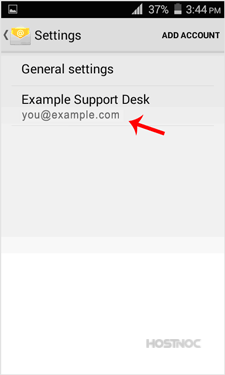
3. Select your email account.
select-email-android-email-cpanel.gif


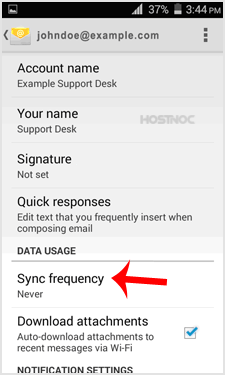
4. Tap on the Sync frequency option.
set-sync-android-cpanel-email-config.gif


5. Set your frequency to 15 minutes or any custom time. If you do not wish to sync email automatically, set it to Never and then you will be required to sync email manually.
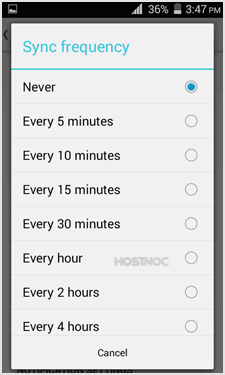
sync-cpanel-android-mobile-config.gif

Was this answer helpful?

« Back

Powered by WHMCompleteSolution