
Dev License: This installation of WHMCS is running under a Development License and is not authorized to be used for production use. Please report any cases of abuse to abuse@whmcs.com

How to reply to email in Mozilla Thunderbird? Print

  • 0

You can reply to emails using Mozilla Thunderbird instead of using cPanel Webmail.


1. Open Mozilla Thunderbird.
mozilla-thunderbird-cpanel-icon.gif


2. Click on the email you wish to open twice.
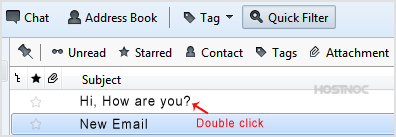
open-email.gif


3. In the top area on right side, click on the "Reply" button.
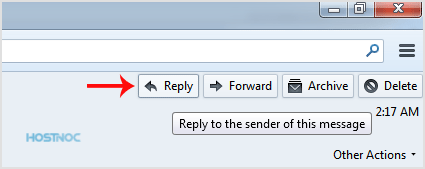
reply-to-email.gif


4. Type your message in a message box and click "Send".
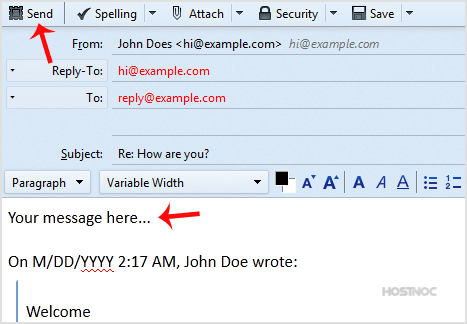
send-reply-mozilla-thunderbird.gif

Was this answer helpful?

« Back

Powered by WHMCompleteSolution