
Dev License: This installation of WHMCS is running under a Development License and is not authorized to be used for production use. Please report any cases of abuse to abuse@whmcs.com

How to Change the SolusVM Account Email Address? Print

  • 0

If you want to update your SolusVM VPS Control panel email address, follow this instruction.


1. Login to your SolusVM Control Panel.

2. If you have multiple VPS, select appropriate one.
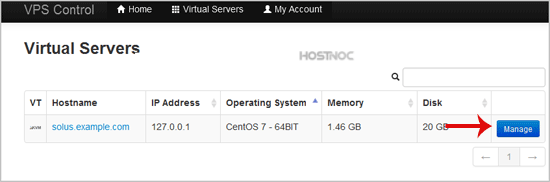
solusvm-select-vps.gif

3. In the Top Bar Menu, click on "My Account".
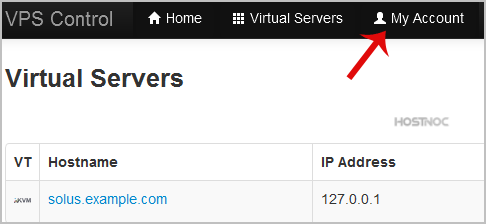
solusvm-email-address-change.gif

4. Under "Account Settings", enter your new email address in the email field and click on "Update Settings".
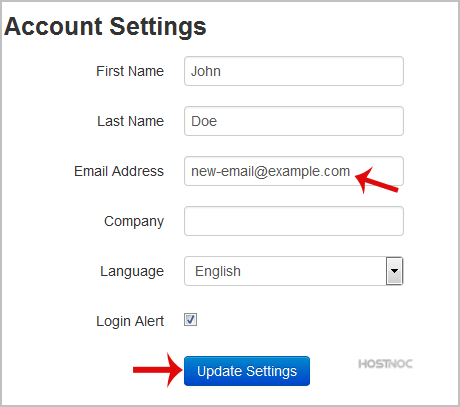
solusvm-email-address-changed.gif


When the email address is changed, you will see a message like "Settings Updated Successfully".


Was this answer helpful?

« Back

Powered by WHMCompleteSolution