
Dev License: This installation of WHMCS is running under a Development License and is not authorized to be used for production use. Please report any cases of abuse to abuse@whmcs.com

How to Change the Network Card to Virtio, Intel PRO or Realtek in SolusVM? Print

  • 0

You can change your network card to any other network card. For example, from Realtek to Virtio or Intel Pro.

1. Login to your SolusVM Control Panel.

2. If you have multiple VPS, select the appropriate one.
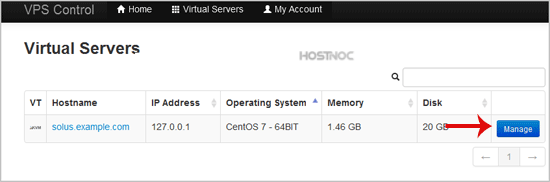
solusvm-select-vps.gif


3. Scroll down, and under the "settings" tab, you can find the "Network Card" option. Select the appropriate network card from the Drop-Down Menu.
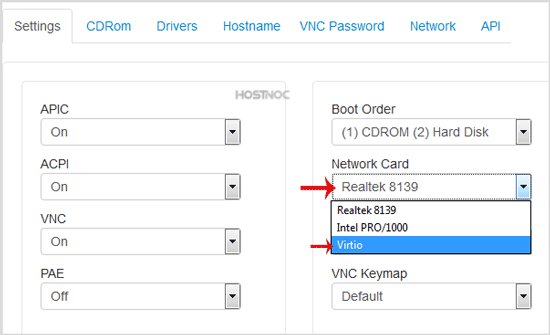
solusvm-network-card-change.gif


4. Reboot your VPS.


Was this answer helpful?

« Back

Powered by WHMCompleteSolution