
Dev License: This installation of WHMCS is running under a Development License and is not authorized to be used for production use. Please report any cases of abuse to abuse@whmcs.com

How to Change Your VPS OS Root/Admin Password Using SolusVM? Print

  • 0

You can change the root/admin password of your VPS Operating System using SolusVM


1. Login to your SolusVM Control Panel.

2. If you have multiple VPS, select the appropriate one.
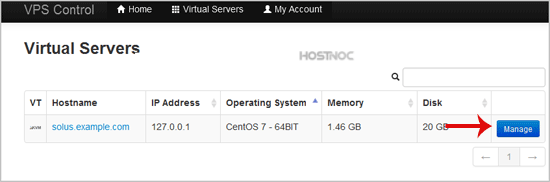
solusvm-select-vps.gif


3. Scroll down, and under the "Root/Admin Password" tab, click on "Change".
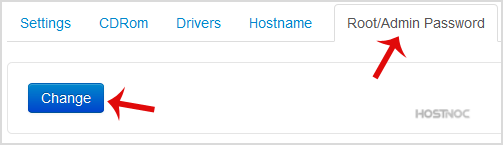
solusvm-rootadmin-vps-os-password.gif


4. It will prompt for a confirmation. Click on "Yes".
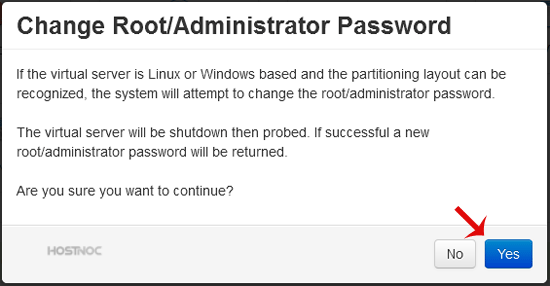
solusvm-rootadmin-pass-confirm.gif


5. It can take some time to change the password and then it will display it. Copy the password to notepad.
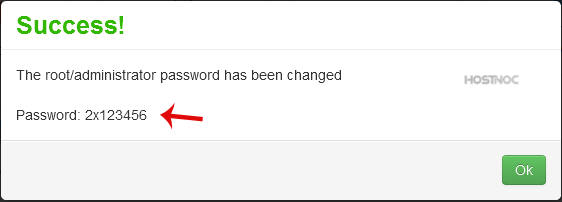
solusvm-password-os-changed.gif


Was this answer helpful?

« Back

Powered by WHMCompleteSolution